
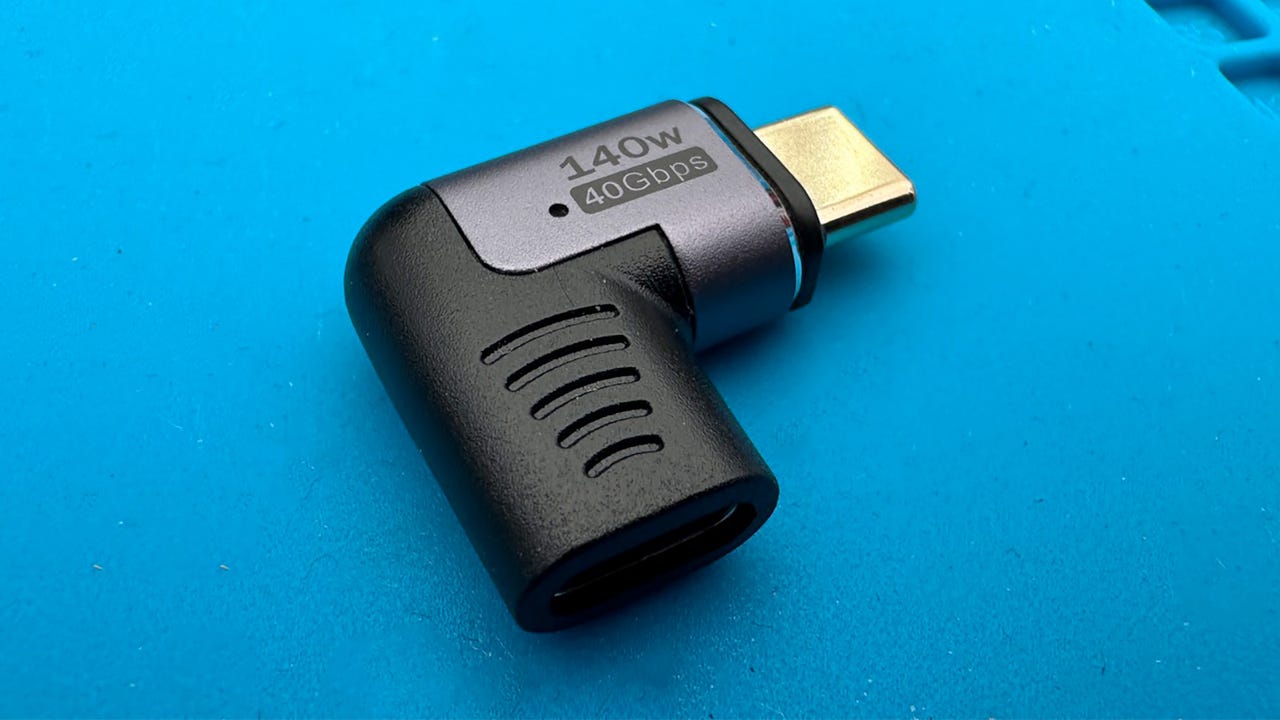
Magnetic breakaway USB-C connector
Adrian Kingsley-Hughes/This is possibly one of the best USB-C accessories that I've ever bought and used. It's saved my USB-C ports from damage countless times, and it's helped prevent laptops from being yanked to the floor by careless individuals (usually me) tripping over the charging cable.
It's a magnetic breakaway USB-C connector reminiscent of Apple's MagSafe connector that you can fit into all your devices, even MacBooks that don't have it.
Also: Protect your data with a USB condom
And the best thing of all is that it doesn't slow down data transfer or charging.
I know, because I've been testing a bunch of them to find you the best and cheapest model.
A magnetic breakaway USB-C connector consists of two parts. One part is the USB-C port that plugs into the device you want to protect -- be that a laptop, smartphone, charger, power bank, or any USB-C port you want to safeguard from damage -- and the other part goes on the end of the cable you're going to use.
Also: The best MagSafe accessories for your iPhone
A magnet keeps the two parts together when in use until there's a pull on the connector, and then the two parts come apart. The magnets are very strong and pull the two parts together with a very decisive snap.
It's a simple yet brilliant idea!
RECOMMENDS
Magnetic breakaway USB-C connector
Of the many magnetic breakaway USB-C connectors that I tested, this was one of my favorites. Not only did it do everything the spec sheet promised, but it's nicely designed and features a strong magnet to keep both halves together.
View at AmazonMagnetic breakaway USB-C connector tech specs
- Power: Up to 140W
- Data transfer: Up to 40Gb/s
- Video output: Up to 8K@60Hz
- Connection type: 24-pin
- LED indicator: Yes
- Dustproof: Yes
I've used similar breakaway USB-C connectors before, back when Apple removed the MagSafe charging port from the MacBook Pro. But things have come a long way since then: These connectors have been given a revamp, improving the design and the magnet, and bringing them up to date with support for features such as 140W charging.
Also: This $10 gadget is my favorite repair tool of all time
These breakaway connectors come in three different types -- straight , 90¡ã elbow , and right-angle .
Personally, I like the elbow design. It feels like the most versatile and secure. I find that the straight and right-angled connectors do their breakaway thing much easier, resulting in more accidental breakaways.
The magnet on the breakaway connector is strong.
Adrian Kingsley-Hughes/Still, I'd much prefer to deal with an accidental breakaway than a laptop that's been dragged to the ground.
The magnetic breakaway USB-C connector is perfect for smartphones too.
Adrian Kingsley-Hughes/The connectors feature a handy LED light, so you can tell if a device is charging. I find this to be a really nice touch.
And now the good news is that these are cheaper than ever. I remember paying well over $20 for a single connector, but now you can get a 2-pack for around $30 .
Also: This 6-in-1 USB-C hub exposes your worst cables from the best ones
They're a simple, yet effective way to prevent ports from being damaged and laptops from being pulled to the floor. A few dollars spent on a couple of these could save you thousands!
See also
-
This $30 gadget claims to add years to your phone's lifespan. Here's how
-
This is the USB flash drive James Bond would use
-
How to strip wires like a pro (and my must-have tools)
-
Stop! Your Apple charger may be a counterfeit, and this tiny gadget can tell
-
This $10 gadget is my favorite repair tool of all time