
What to Know
- Go to your Google My Activity page and select Timeline > Turn off or Turn off and delete activity.
- Delete visits in Google Maps app: Your Timeline > Settings and privacy > Delete Location History range.
- Delete all location history (in app): Your Timeline > Settings and Privacy > Delete all Location History.
This article explains how to turn off Google location tracking. The information applies to services like Google Maps and apps for Google's Android platform.
If you don't want Google tracking your activities online, there are several ways to prevent Google from tracking your internet history.
Does Google Track My Location?
Google Maps keeps a history of places you go on your Google Maps Timeline, even when the app isn't open.
Your Timeline syncs with Google Photos and other apps, which can help you remember when and where you took pictures and videos. However, if someone gets access to your Google account, they can find information you might not want them to know.
If you have an Android or iOS device, Google tracks your whereabouts to help certain apps (like Google Maps) determine your location. You can disable location services, but some apps may not work correctly.
To protect your privacy, Google recommends turning on two-factor authentication for your account.
How Do I Stop Google From Tracking My Location?
If you don't want Google Maps, Google Photos, and other apps tracking your location, follow these steps:
-
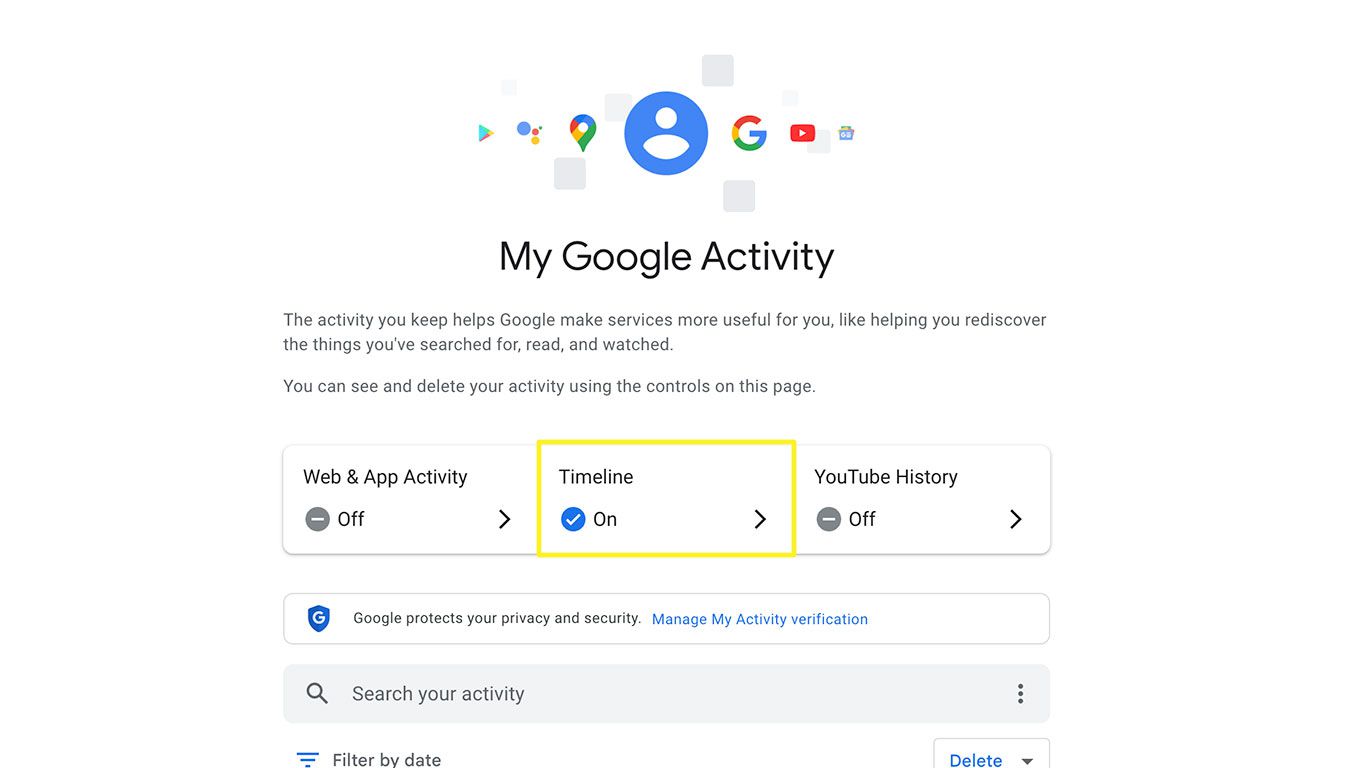
Go to your My Activity page and, if prompted, log in to your Google account.
Return to the My Activity > Timeline page any time you want to turn Google location tracking back on.
-
Select Timeline.
-
Under this section, select Turn off or Turn off and delete activity.
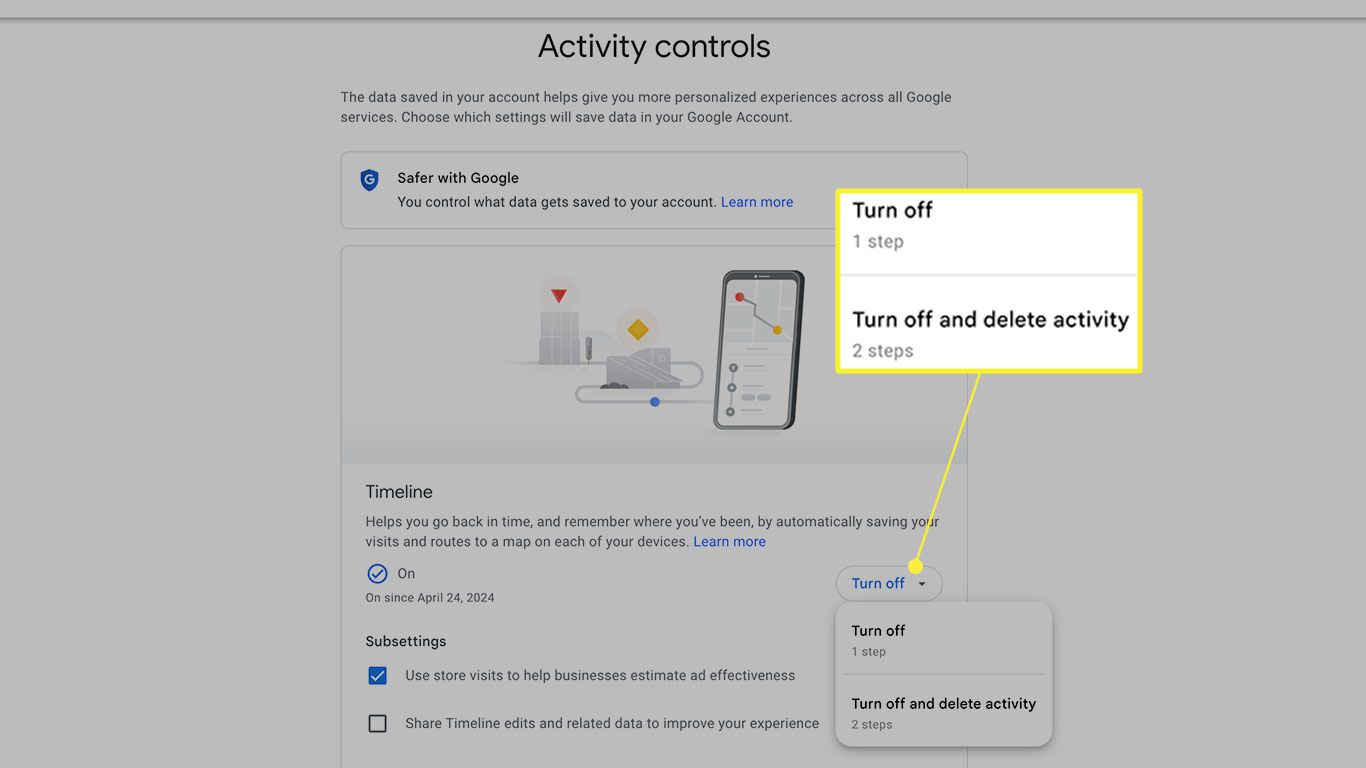
If you'd like to keep location tracking on and automatically delete your location history after a designated amount of time, choose an option under Auto-delete at the bottom of the Timeline options.
-
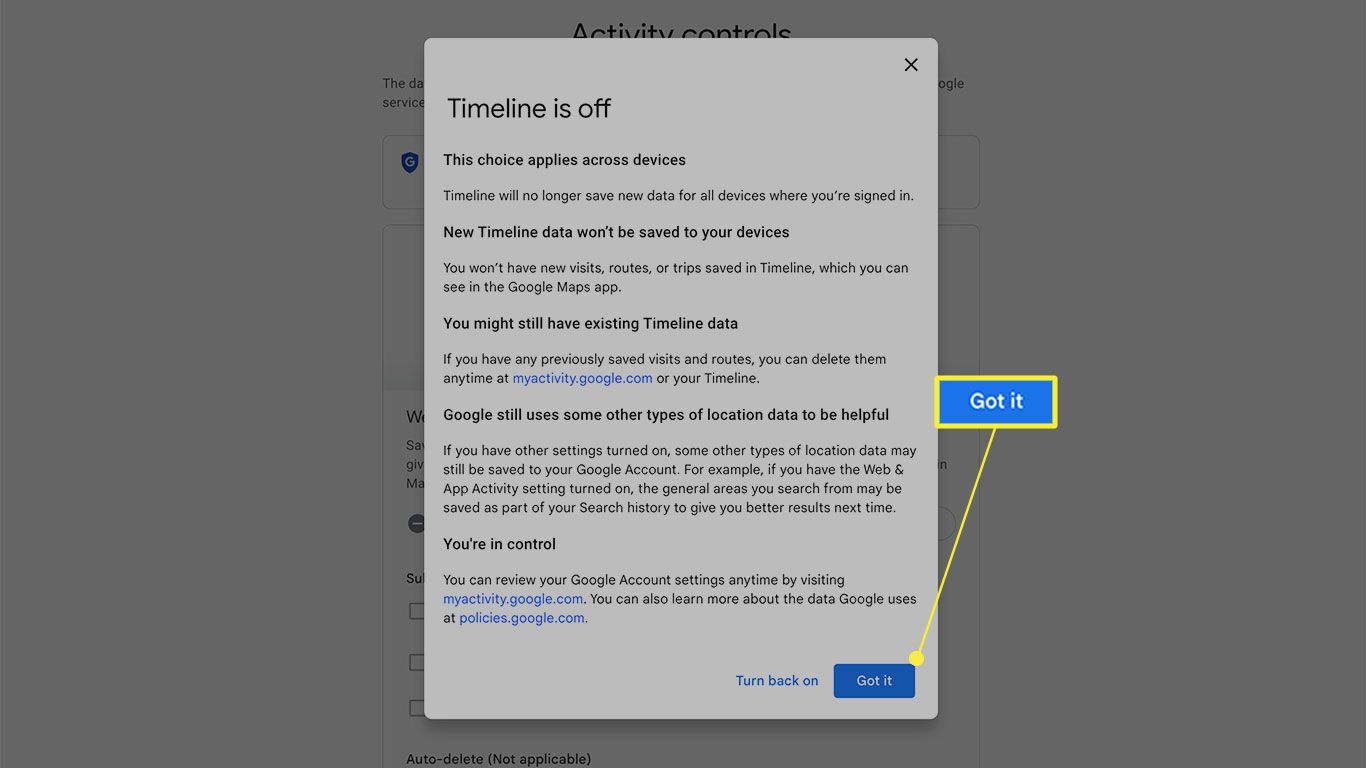
Select Got it to confirm deletion.
-
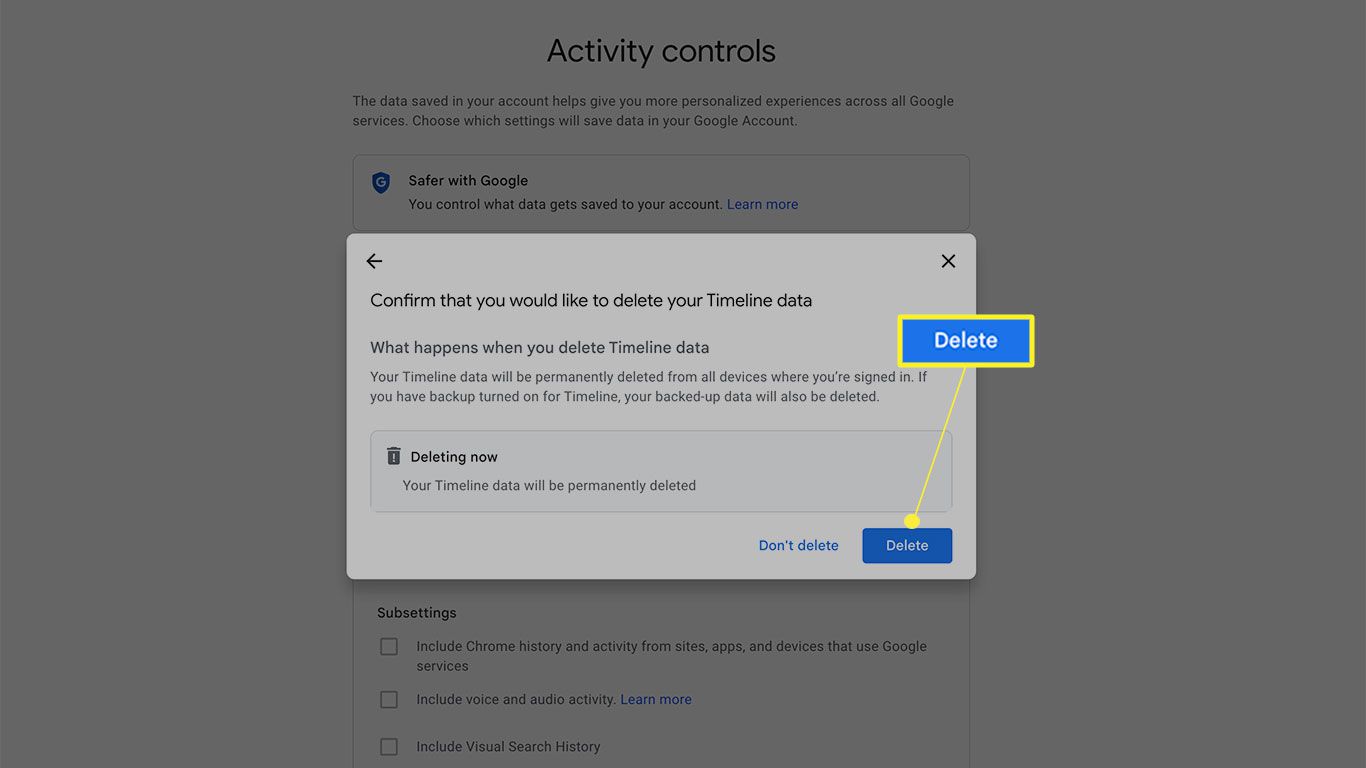
Or, select Next > Delete If you chose to turn off tracking and also delete your history.
How Do I Get Rid of Tracking on My Google Timeline?
If you want to delete specific location history from your Timeline, use the Google Maps mobile app:
-
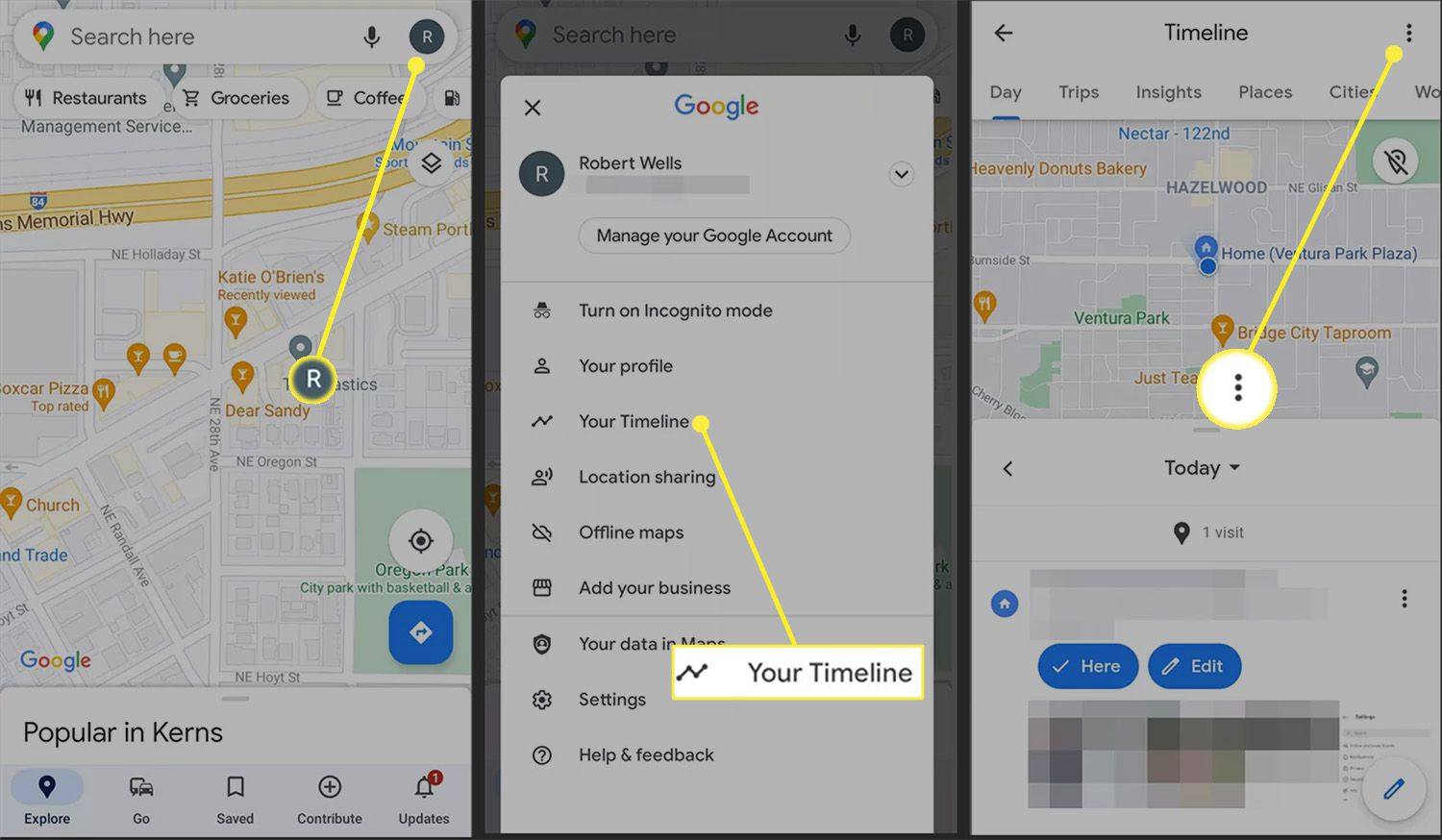
In the Google Maps app, tap your profile icon.
-
Tap Your Timeline.
-
Select the three vertical dots in the upper right corner > Settings and Privacy.
-
From the Personal content area, select Delete Location History Range. Input a start and end date and tap Continue > Delete.
To delete everything, select Delete all Location History instead.
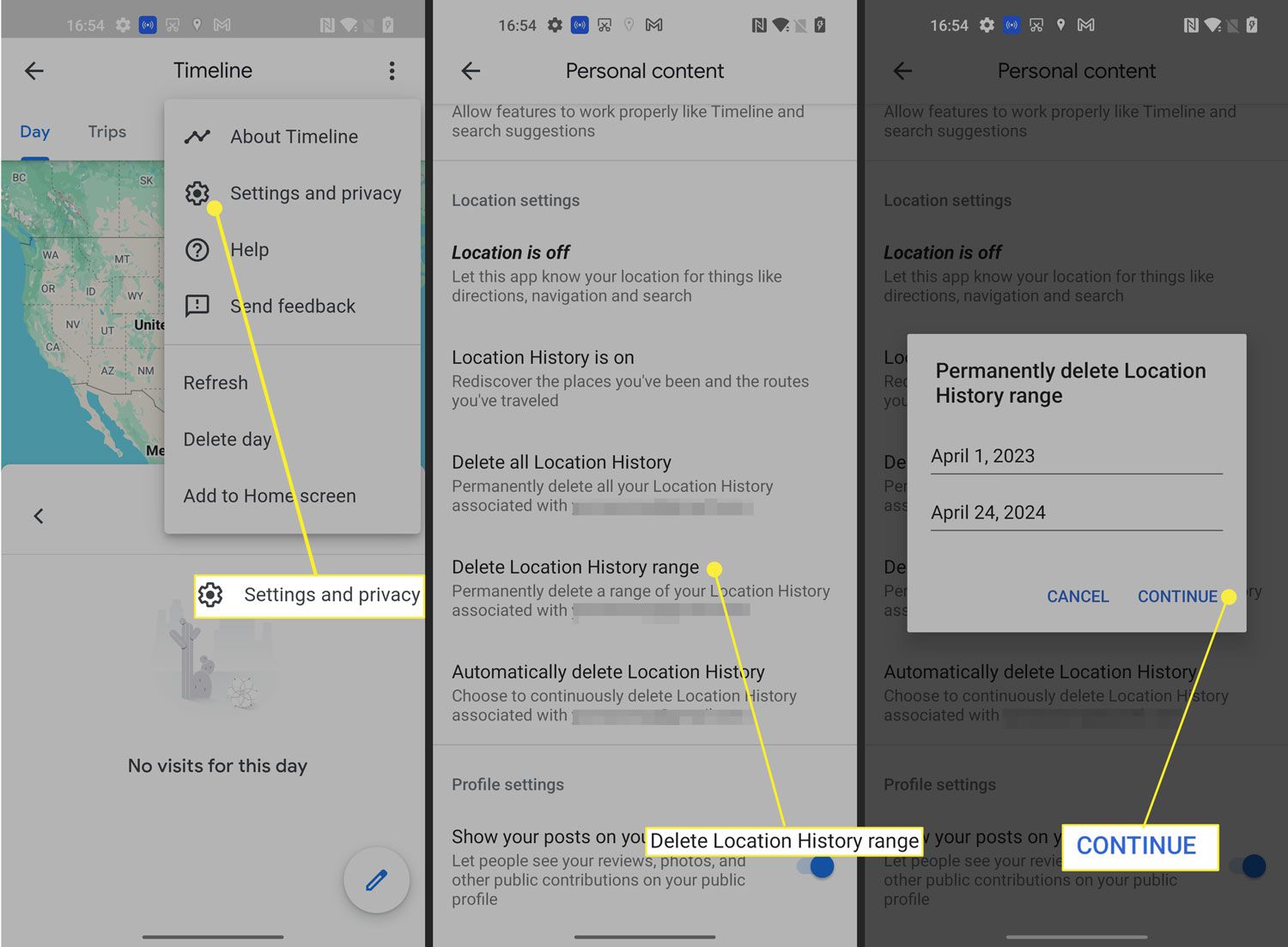
You can also delete a specific day from Timeline > Delete day or stops from a particular day by using the Today drop-down calendar feature.
How to Manage Google Location Settings
On Android, you can disable location tracking for individual apps by managing your app permissions. You can choose what information each app can access from the Permission Manager.
On iPhone and iPad, you can choose to enable location services only when an app is open by going to Settings > Privacy & Security > select the app > While Using the app. Remember that turning off location tracking can prevent certain apps from functioning.
Hide Your Location With a VPN
If you disable Google location tracking, your internet provider and other websites can still determine your general location. Consider getting a virtual private network (VPN) to hide your location entirely. By masking your location, VPNs allow you to bypass regional restrictions on websites, so you can watch movies on Netflix that aren't available in your country.